# Status
> The status is a permanently visible information about the general status of a system or an object. This is often crucial to the user to understand and predict the behaviour of the application.

## Connection status
![Status notification](https://next.wave-design-system.pages.dev/_next/static/chunks/images/StatusConnection-c9177d29bf3813e339ce5f6faea48574.png)
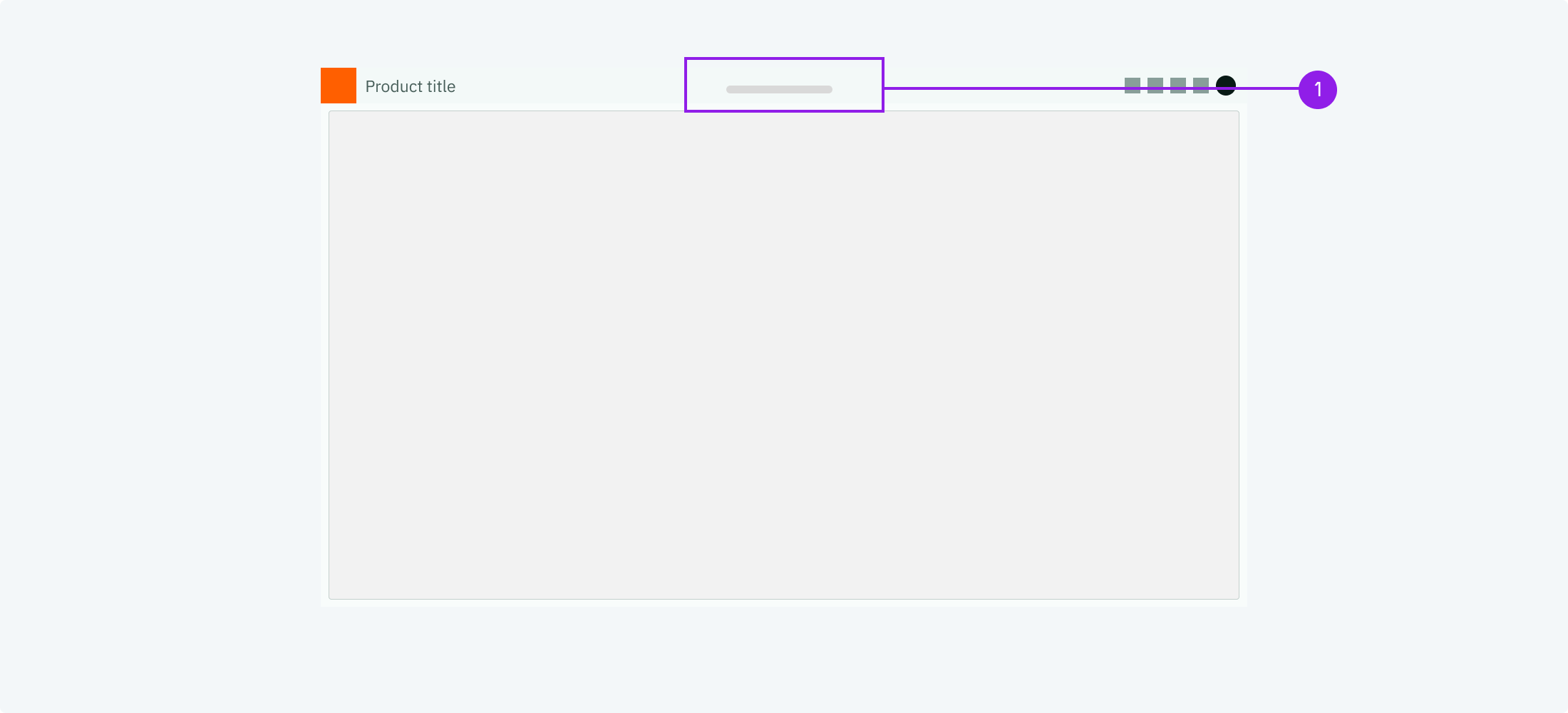
1. Connection status displayed in the centre of the header

<DataList.Root orientation="vertical" emphasize="label">
  <DataList.Row>
    <DataList.Label>When to use</DataList.Label>
    <DataList.Value marginTop="spacingS">
      Use this connection status when the system has one or multiple fundamental
      connections. E.G. to markets or APIs.
    </DataList.Value>
  </DataList.Row>
  <DataList.Row>
    <DataList.Label>Description</DataList.Label>
    <DataList.Value marginTop="spacingS">
      The connection status indicates wether the system is connected or
      disconnected. Often this is combined with a button to start the connection
      process or settings.
    </DataList.Value>
  </DataList.Row>
  <DataList.Row>
    <DataList.Label>Behaviour</DataList.Label>
    <DataList.Value marginTop="spacingS">
      The connection status should be shown on the App Header in the centre,
      this way it is always visible and very prominent.
    </DataList.Value>
  </DataList.Row>
  <DataList.Row>
    <DataList.Label>Components to use</DataList.Label>
    <DataList.Value marginTop="spacingS">
      <ul margin="none">
        <li>
          <Link href="/components/hint-dot#app-header-status">
            App Header status
          </Link>
        </li>
      </ul>
    </DataList.Value>
  </DataList.Row>
</DataList.Root>

## Object status

![Status notification](https://next.wave-design-system.pages.dev/_next/static/chunks/images/StatusObject-fe61a29cadeb5bad3537b8d60316f73a.png)
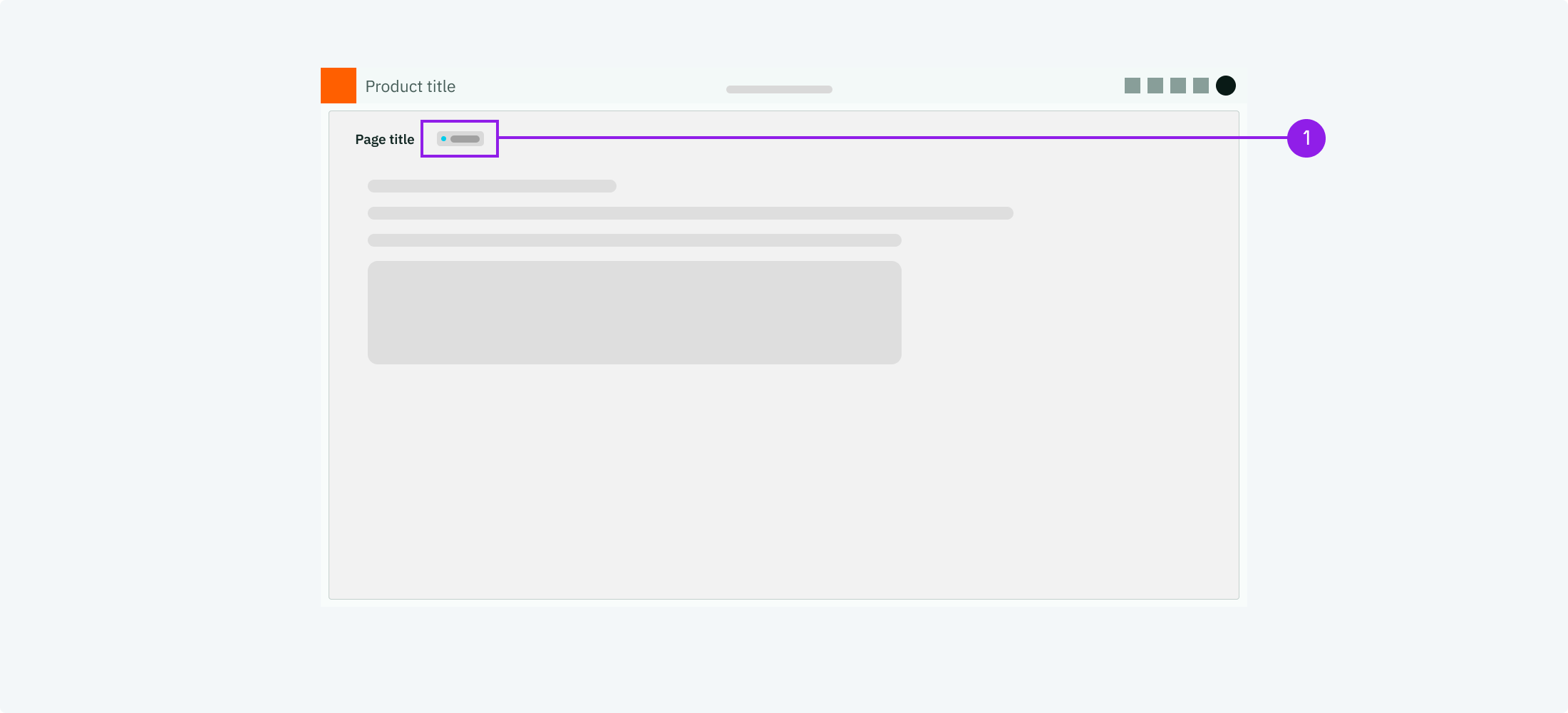
1. Object or page status displayed next to the title

<DataList.Root orientation="vertical" emphasize="label">
  <DataList.Row>
    <DataList.Label>When to use</DataList.Label>
    <DataList.Value marginTop="spacingS">
      Use this object status when an object or a page can have different states
      (like active and inactive).
    </DataList.Value>
  </DataList.Row>
  <DataList.Row>
    <DataList.Label>Description</DataList.Label>
    <DataList.Value marginTop="spacingS">
      The object status indicates the state that an object or page is currently
      at. Often this a active or inactive.
    </DataList.Value>
  </DataList.Row>
  <DataList.Row>
    <DataList.Label>Behaviour</DataList.Label>
    <DataList.Value marginTop="spacingS">
      The object status should be shown close to the title of the object or
      page.
    </DataList.Value>
  </DataList.Row>
  <DataList.Row>
    <DataList.Label>Components to use</DataList.Label>
    <DataList.Value marginTop="spacingS">
      <ul margin="none">
        <li>
          <Link href="/components/hint-dot">Hint Dot</Link>
        </li>
        <li>
          <Link href="/components/label">Label</Link>
        </li>
      </ul>
    </DataList.Value>
  </DataList.Row>
</DataList.Root>